

Description
Download IMDB Ripper – free, secure movie database tool
Overview
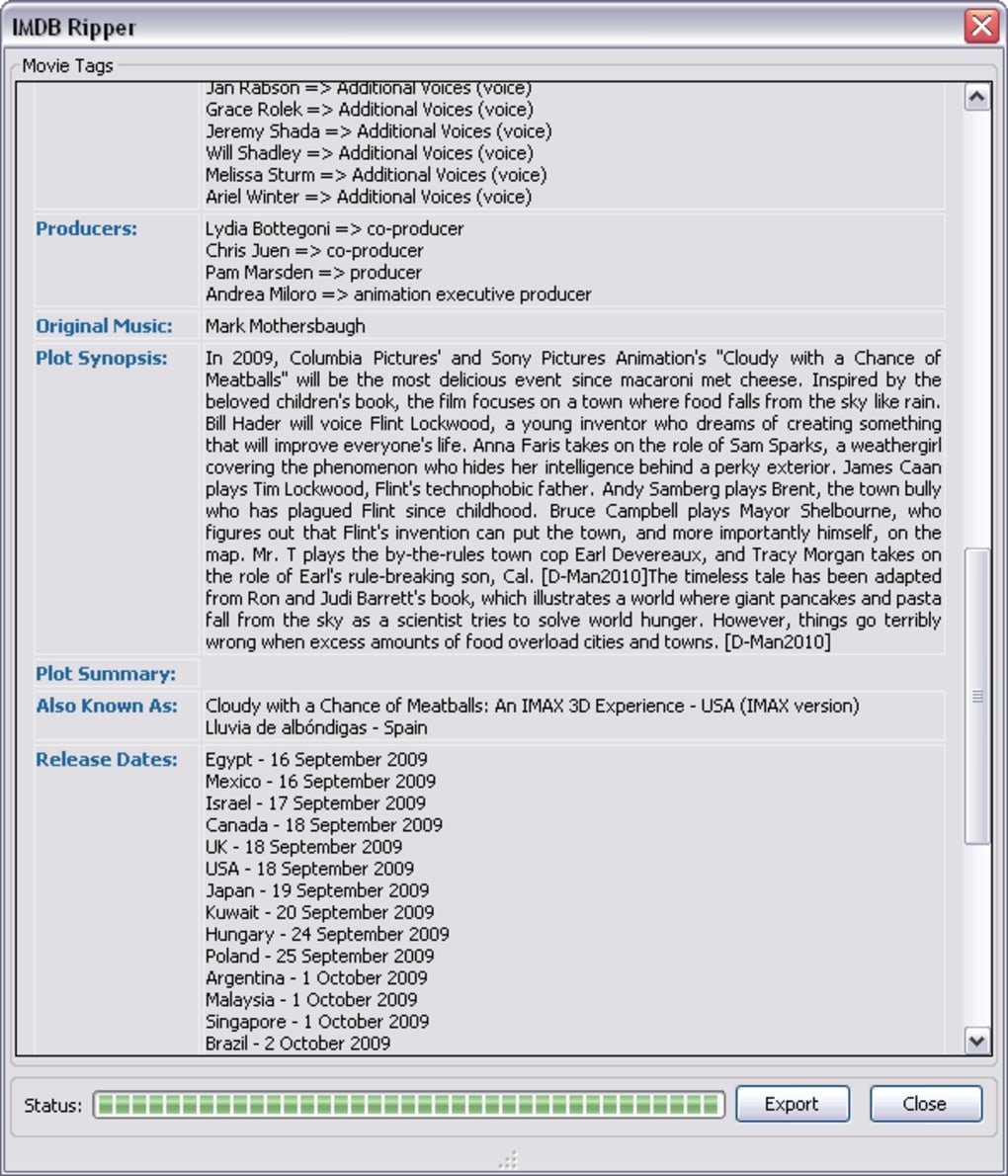
IMDB Ripper is a lightweight Firefox add‑on designed for film enthusiasts, cataloguers, and media‑center managers who need to extract detailed movie information from the Internet Movie Database (IMDB) and store it locally. While IMDB itself offers a comprehensive web‑based catalogue, many users prefer to maintain a personal, offline archive that can be imported into media‑center software such as Plex, Kodi, or Emby. IMDB Ripper fills that niche by allowing you to “rip” data directly from an IMDB title page and save it as an XML or NFO file, complete with cast lists, release dates, alternate titles, plot summaries, and high‑resolution poster images. The add‑on also supports country‑specific release information, making it ideal for collectors who track regional editions or multilingual titles.
The tool’s core strength lies in its configurability. Users can select which metadata fields to include, define preferred release‑date territories, and even customize file‑naming conventions. The resulting files are clean, well‑structured, and ready for immediate import into virtually any media‑library application. IMDB Ripper is free, regularly updated, and operates entirely within the Firefox browser, meaning there is no additional software to install or maintain. Whether you are building a personal movie database, curating a public media server, or simply backing up favourite titles for offline reference, IMDB Ripper provides a secure, efficient, and user‑friendly solution.
Key Features & Configuration Options
- One‑click ripping: Capture complete movie metadata with a single toolbar button while browsing IMDB.
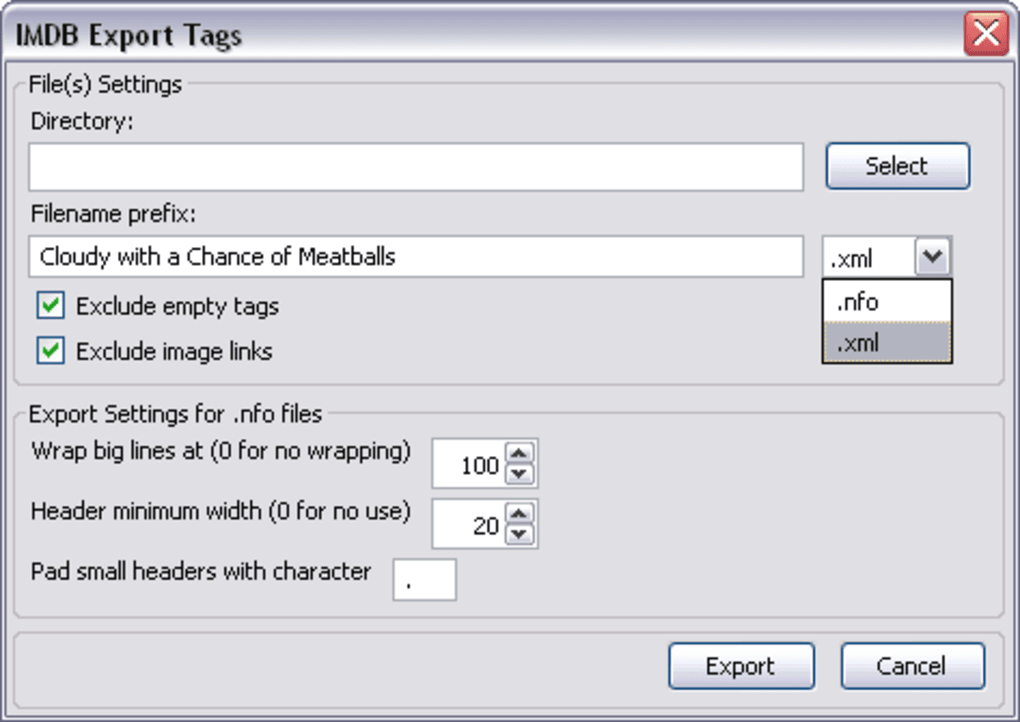
- Multiple output formats: Save data as XML for custom scripts or NFO for direct compatibility with media‑center software.
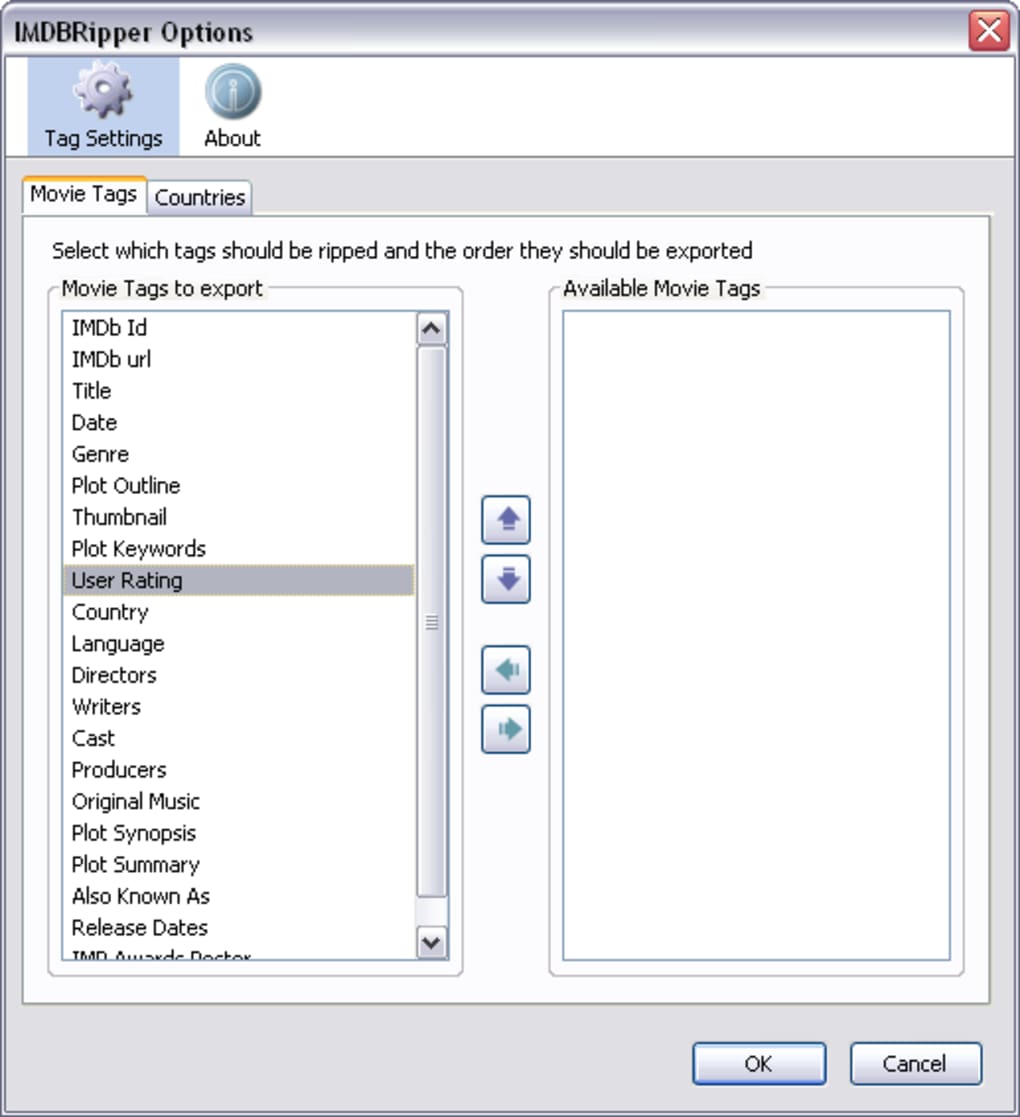
- Selective tag export: Choose exactly which fields (e.g., director, writer, runtime, genre, rating) you want to include.
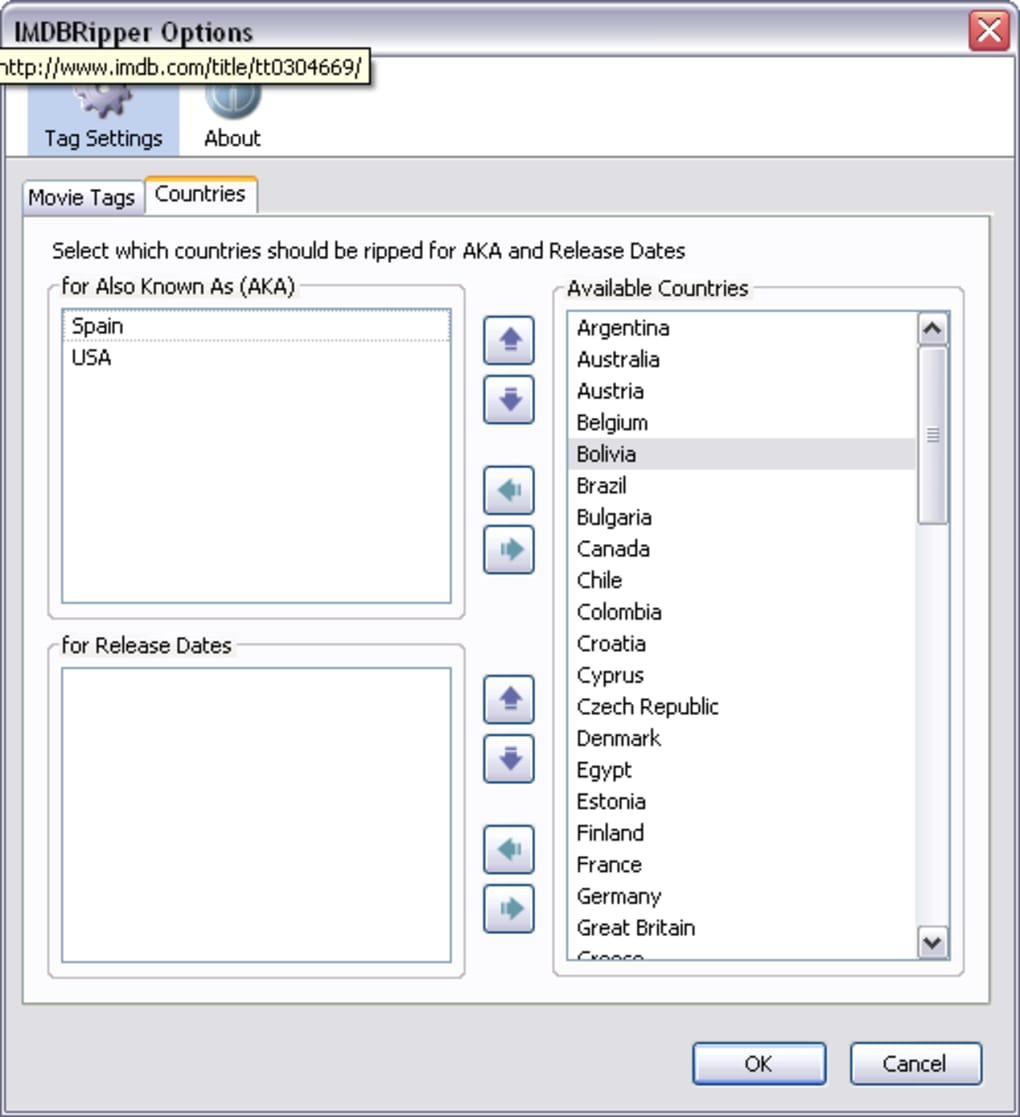
- Country‑specific release data: Configure the add‑on to prioritize release dates and alternate titles from selected territories (US, UK, Germany, Japan, etc.).
- Image handling: Automatically download high‑resolution posters and fan art, embedding them or saving them alongside the metadata file.
- Custom file‑naming templates: Define naming patterns using variables such as %title%, %year%, %imdbID% for seamless integration with existing libraries.
- Sorting and saving options: Set default save locations, organize files by genre or year, and apply automatic sorting rules.
- Regular updates: The developer releases patches to keep up with IMDB site changes, ensuring reliable tag extraction.
- Lightweight and secure: Runs within Firefox sandbox, does not collect personal data, and requires no external executables.
- Multi‑language support: Interface available in English, Spanish, German, and French, with the ability to export metadata in the original language of the source page.
The flexibility of IMDB Ripper makes it more than just a data grabber; it becomes a tailored export engine for any workflow. For example, a home‑theater enthusiast can set the add‑on to fetch only the title, year, and poster, saving the file directly into a “Movies/2024” folder. A film scholar, on the other hand, might enable extensive fields such as full cast, crew biographies, and box‑office figures, exporting the data to an XML file for later analysis in a spreadsheet. The combination of selective tagging and custom naming eliminates the need for post‑processing scripts, saving hours of manual work.
Installation, Usage & Compatibility
Step‑by‑Step Installation
- Open Firefox and navigate to the IMDB Ripper add‑on page.
- Click the Add to Firefox button and confirm the permission request.
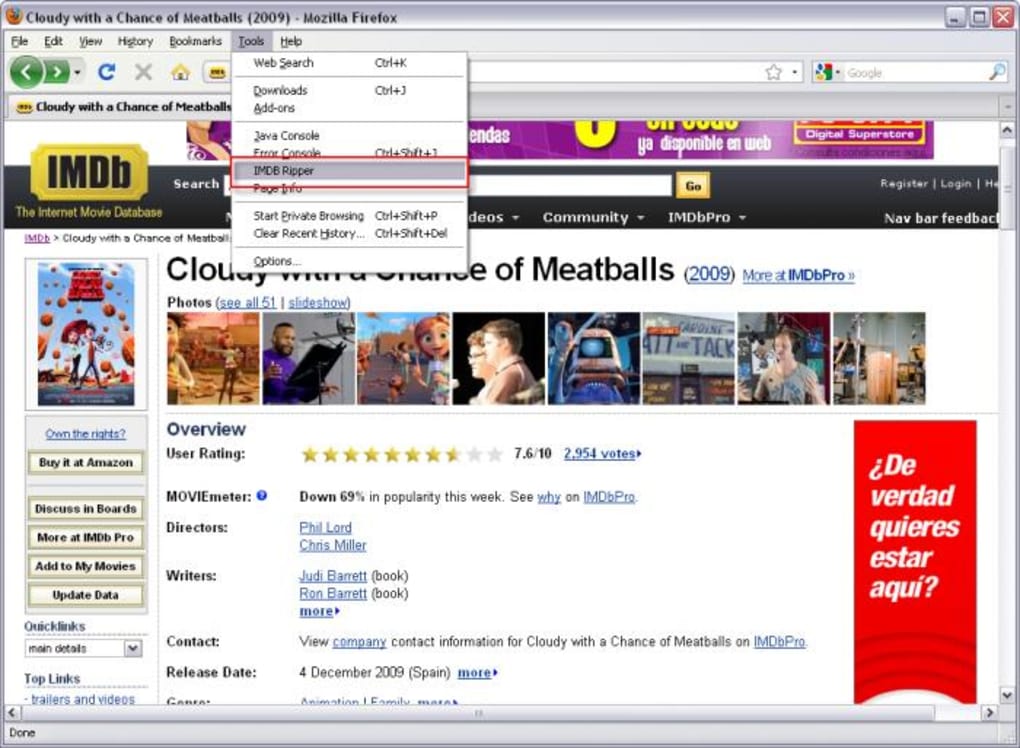
- After installation, a small IMDB icon will appear in the Firefox toolbar.
- Restart Firefox to ensure the add‑on is fully loaded (optional but recommended).
How to Rip a Movie Page
1. Browse to any IMDB title page (e.g., https://www.imdb.com/title/tt0111161/ for *The Shawshank Redemption*).
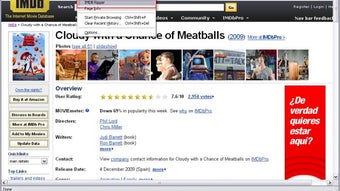
2. Click the IMDB Ripper icon; a configuration dialog pops up. Here you can toggle the metadata fields you want, set your preferred country for release dates, and choose the output format (XML or NFO).
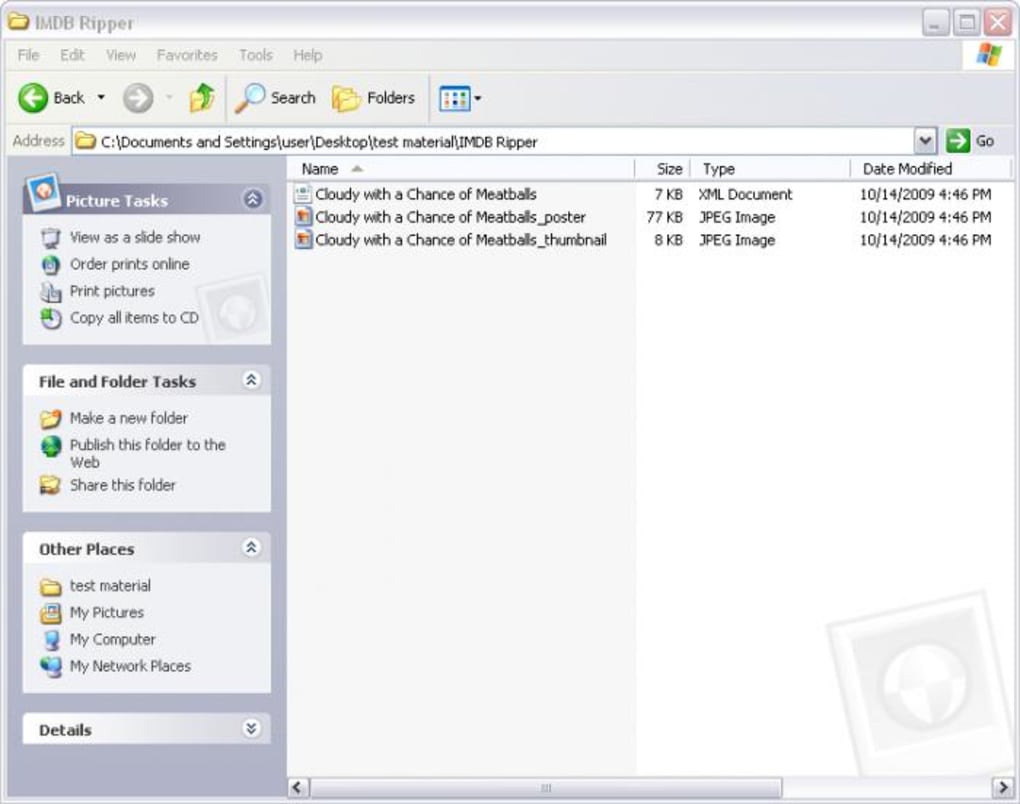
3. Press Rip. The add‑on will fetch the data, download the poster image, and prompt you to select a save location. By default, it suggests a folder named after the movie title and year.
4. Confirm the save location and the file will be written to disk. You can now import the file into your media‑center software or archive it for future reference.
Operating System Compatibility
IMDB Ripper runs entirely within the Firefox browser, making it compatible with any operating system that supports Firefox, including Windows 10/11, macOS 10.15+ (Catalina and later), Linux distributions (Ubuntu, Fedora, Debian, etc.), and even Firefox for Android. Because the add‑on does not rely on native binaries, there are no additional system requirements beyond a recent version of Firefox (v78 or newer). Users on iOS can install Firefox but note that Apple’s extension model restricts add‑ons, so IMDB Ripper is currently unavailable on iOS devices.
Best Practices for Smooth Operation
• Keep Firefox up to date to benefit from the latest security patches and extension APIs.
• Periodically check the add‑on’s settings page for new configuration options released in updates.
• If you encounter a “tag not found” error, clear your browser cache and try again; IMDB frequently updates its page layout, and a fresh cache helps the add‑on parse the new structure.
• For large libraries, consider using a dedicated “IMDB_Ripper” folder on an external drive to keep all exported files organized.
Pros, Cons & Frequently Asked Questions
Pros
- Free and open‑source – no hidden fees.
- Highly configurable tag selection and country‑specific data.
- Direct compatibility with popular media‑center formats (NFO).
- Lightweight; runs entirely inside Firefox without extra installers.
- Regular updates keep pace with IMDB site changes.
Cons
- Only works in Firefox; not available for Chrome or Edge.
- Limited to manual ripping – no batch‑import of multiple titles.
- iOS support is currently unavailable due to platform restrictions.
- Advanced users may need to edit XML files for custom workflows.
Frequently Asked Questions
Can IMDB Ripper export subtitles or audio tracks?
No. IMDB Ripper focuses solely on metadata and images. Subtitles and audio tracks must be sourced separately from the video files or other dedicated tools.
Is the exported XML compatible with spreadsheet software?
Yes. The XML follows a simple hierarchy that can be imported into Excel, Google Sheets, or any XML‑aware application for further analysis or reporting.
How does the add‑on handle movies with multiple titles in different regions?
You can enable the “Alternate Titles” tag and specify which countries to prioritize. The add‑on will list all known titles and highlight the one that matches your selected territory.
Will IMDB Ripper store personal data or track my browsing?
No. The add‑on runs locally within Firefox and does not transmit any data to external servers. All scraped information stays on your hard drive.
Can I automate ripping for an entire movie list?
IMDB Ripper does not include a batch‑processing feature. However, you can combine it with simple scripts that open each IMDB URL and trigger the add‑on via Firefox’s remote debugging API.
Overall, IMDB Ripper delivers exactly what it promises: a fast, secure way to export IMDB data for offline use. The only real drawbacks are its Firefox‑only limitation and the lack of batch processing, but for most hobbyists and small‑scale cataloguers, those issues are minor compared to the convenience and flexibility the add‑on provides.
Conclusion & Call to Action
If you’re serious about building a personal movie library, maintaining accurate metadata, or simply backing up your favorite film details, IMDB Ripper is a tool that deserves a place in your workflow. Its free price tag, robust feature set, and seamless Firefox integration make it a standout option among media‑management utilities. By allowing you to tailor the exact data you need—down to country‑specific release dates and custom file naming—IMDB Ripper eliminates the tedious manual entry that often plagues movie‑collection projects.
Ready to streamline your cataloging process? Download IMDB Ripper now, configure the tags that matter to you, and start building a rich, offline movie database today. Your media‑center will thank you, and you’ll enjoy the peace of mind that comes with having all the essential film data safely stored on your own hard drive.
Guides & Tutorials for IMDB Ripper
How to install IMDB Ripper
- Click the Preview / Download button above.
- Once redirected, accept the terms and click Install.
- Wait for the IMDB Ripper download to finish on your device.
How to use IMDB Ripper
This software is primarily used for its core features described above. Open the app after installation to explore its capabilities.
User Reviews for IMDB Ripper 0
No reviews found





